01 October 2008

Xbee Arduino Shield Kit

Yow. I've soldered a few things in my day but I kinda struggled putting together the NKC Electronics Freeduino Arduino Xbee Shield V2.0 Kit. Sure laugh it up, look at the very few parts in the picture. But this took me almost 3 hours of intensive labor, smelling caustic fumes, and burning fingers. I clearly over estimated my solder-foo.

The kit is great, well marked, pieces are minimal, the assembly instructions are clear, I just need practice soldering the many header pins. I'm so glad there wasn't any Surface Mount (SMT) because I couldn't have done it.

Now that it's built ... Now what? I need to interface this thing to the Pololu LV168 Orangutan Robot Controller. The shield is intended to work with an Arduino not an Orangutan. Both are based on the Atmel ATmega168 microcontroller but different form factor, different layout. Hmm ... Did I buy the wrong Xbee thing? Why was the shield thing the way to go? This click-to-buy option on web pages is starting to get me in trouble. I buy before I really know if it's the right solution. Hell, at least I got to practice my soldering skills.

The great thing about an Arduino shield is that it lines up with the sockets on the Arduino board and makes all the necessary electrical connection auto-magically.

The bad thing is that an Orangutan isn't the same form factor as an Arduino and that shield wasn't going to just line up and plug in. I need to connect the pins myself.

The best that I can tell, the Xbee really only needs 4 pins connected. Many other options but in the dirt simple mode, just these four:
  • +VCC
  • Ground
  • Din (Tx)
  • Dout (Rx)
The shield has a TLV2217 voltage regulator that takes the Orangutan's +5V and outputs a nice +3.3V for the Xbee. I knew that I wanted that shield for something. So, I need to power the shield with +5V but where? Where does the voltage get applied? Looking at the schematic, it was still not clear. The only place I see +5V is to the ICSP. Could that be it?

I posted a few forum questions at various boards and received the usual RTFM responses. Those are really helpful. I'm struggling, just have a question that I can't find the answer to anywhere, I really have read the flippin' manual and searched till I'm blue, and the experts don't help. Instead they write, "If you look at the pins on an arduino, you can see which pins get connected to what". Great, thanks much.

In the ICSP link above, the Tinker It Now dude says "connect the 5v only if you want your Arduino to power the target board". That was the first clue (thanks Tinker It Now) that I found about how a shield gets powered.

So I hook +5V to the shield's ICSP pin 2, GND to the shield's ICSP pin 6. Half way there.

What about Rx/Tx (Din/Dout)? What pins do they get hooked to? On an Arduino, digital pins 0/1 are Rx/Tx. Are they the same for an Orangutan? Pololu's excellent docs come to the rescue yet again. TTL-level communication are with pins PD0 (RX) and PD1 (TX).

But it can't be that easy, can it? After I hooked it up, I didn't seem to transmit. Something's wrong. Stupidity is what's wrong. Don't hook Rx to Rx and Tx to Tx. The Rx from Xbee goes to Tx on the Arduino/Orangutan. The Tx from Xbee goes to the Rx on the Arduino/Orangutan. That's better. Make the right connection and the damn thing works. Cool. What's next?

22 September 2008

Xbee Sounds Good

Although the Orangutan has an 8-character x 2-line liquid crystal display, I'm finding it tough to debug my AI and sonar troubles. I write messages to the screen but without history, I miss the important stuff and end up having to repeat the test over and over and over. I'm looking at using the serial port for writing debug messages.

I tried Atmel's AVR Studio that's an Integrated Development Environment (IDE) for writing and debugging AVR® applications in Windows® 9x/NT/2000/XP environments. But since I use Linux, not Windows I've had a few difficulties getting it going using Wine. I need to spend some time getting this going cause I'd much rather use an IDE than an editor, Make files, and print statements. On my to-do list.

In the mean time ... Why spend time fixing a problem when another interesting gadget is waiting to be played with?

When I was mucking with the Gumstix controller, the idea of using Bluetooth and/or Wi-Fi to remotely communicate was pretty cool. Alas, the Orangutan doesn't have cheap wireless options. Or does it?

Digi's Xbee RF Modules sound really interesting. Low-cost, low-power mesh networking for about ~$25 each. Sparkfun has a good selection of the various Xbee flavours. The 2mW Series 2.5 Wire Antenna version has a 400' range and is the one that I have my eye on.


Here's today's plan:
The Xbee shield is cheap, about $14, and will allow me to interface the +3.3V Xbee to the +5V Orangutan. The Explorer will run with my PC. As the Hummer-bot moves around, I'll have the Orangutan send status messages so I can understand why it turned and slammed into the wall. I'll use the PC bee to view the status and then be able to remotely send control commands to Hummer-bot.

15 September 2008

Orangutan - Sonar Struggles

I admit. My AI skills are lacking in both skill and quality. My attempt to make a ex-RC car into the super Hummer-bot has been less than successful (so far). After frickin' amazing success on the first fews days of using the shiny new LV168 Orangutan Robot Controller, I've come back to Earth and have been struggling.

My bot is a cyclops with a single sonar range finder mounted on front. I'm doing a very simple algorithm that drives straight until it detects an object closer than 24". It slows and does a random 15 degree turn to either right or left. If the object is still closer than 24", it continues to turn in the same direction. If the coast is clear, the wheels straighten and speed increases. Pretty simple. In mostly open areas, it works well. In my hallway, it's a deathtrap. Hummer-bot gets caught on the first or second corner and the car absolutely flips out, spinning wheels and turning back and forth until I rescue it.

For the first few days, the Sonar Range Finder appeared to work spot on. Now it needs a dog and a cane 'cause the damn thing can't see anything. Could be due to Hummer-bot smashing into the wall repeatedly during a spastic frenzy of very un-AI behaviour. My sonar acts either completely dead or randomly sends wild readings.

This is a code snip of the Analog-to-Digital Conversion (ADC) code for reading the sonar. I tried for an hour to setup the Google Syntax Highlighter so that the code would look pretty but I failed. Instead you get a screenshot.

As you see, the sonar reading code is simple. Most of it (all?) is stolen re-used from LV168 resources that are available on Pololu's great project pages.

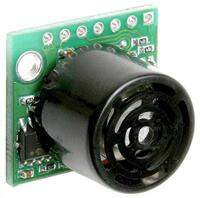
The Maxbotix LV-MaxSonar- EZ1 Sonar Range Finder detects objects from 0 – 254 inches (6.45 meters) with 1-inch resolution for distances greater than 6 inches. My finder suddenly seems to only see objects in a 6-12 inch range and very sporadically.

I've tried different analog pins with the same results so I'm suspecting I have a damaged device. They're fairly cheap at $25 but I hate to buy the same thing. I may need a new shiny.

23 August 2008

Pololu Orangutan - New Shiny

A while back, I bought a Gumstix with the hope that I'd interface it to an RC car. I wanted to see if I could make a pseudo-autonomous car that would zoom around the yard and I'd monitor/control it via Bluetooth or Wi-Fi. After spending a few hundred dollars on various pieces, parts, and expansion boards, I had a pretty cool setup. The Gumstix motherboard runs Linux, has great community support. But it was overkill for my hobby needs. I got frustrated with attempting to interface it with a simple PWM motor controller. No progress == boredom, so Mr Gumstix was soon put on a shelf.

On a recent break from work, I pulled out the Gumstix and wanted to try again. My motor controller kit came from Pololu so I went back to their website to try and remember where I was. And there I saw the next shiny thing that I must own. A shiny new LV-168 Orangutan Robot Controller.


So ... Out came more dollars and the Gumstix has gone back to the shelf. The description of the Orangutan is great, seems to have what I need:
(from Pololu's website)
The Orangutan robot controller is a complete control solution for small robots. It includes an 8-character x 2-line liquid crystal display, two bi-directional motor ports, a buzzer, three pushbuttons, and up to 12 user I/O lines, yet the compact module measures only 2.00" x 1.85" and weighs less than 1 ounce. Because of the complete feature set, very few additional components (such as sensors or motors) need to be added to complete the electronic portion of a small robot. The small package allows for greater flexibility in incorporating the electronics into the mechanical design of a robot.

The Orangutan is based on Atmel’s ATmega168 microcontroller, which features 16 Kbytes of flash program memory, 1024 bytes of SRAM, and 512 bytes of EEPROM. Up to 8 channels of 10-bit analog-to-digital conversion are also available. Because the user has direct access to the microcontroller, any development software for Atmel’s AVR microcontrollers, including Atmel’s free AVR Studio and the WinAVR GCC C/C++ compiler, is compatible with the Orangutan. An in-circuit programmer, such as our Orangutan USB programmer, is required for programming the Orangutan.

The Orangutan input voltage is 5-10 V, making it well-suited for use with small DC motors and 5- to 8-cell NiCd or NiMH battery packs. The motor driver can supply up to a maximum of 1 A per motor channel, subject to power dissipation requirements. Total power consumption (with motors and buzzer off) is under 15 mA.
Sounds great, what can I lose by trying it out? Um, $50.

I ordered on Friday night after midnight. I couldn't just order the controller, I needed the USB programmer also. The combo meal deal is what I needed. After shipping, it was $84.90.

I live in a small town, mail is sometimes slow so I was amazed when my package arrived Tuesday, 2 business days after ordering. Very nice.

Unpacked around 7pm and by 10pm, I had both RC motors hooked up and under programmatic control. By 11pm, I had a Pololu Sonar Range Finder (left over from the Gumstix days) working. Not a bad night's work. Much more to do but for now, the car drives down the hall until it sees a wall and then randomly turn right or left. It soon gets hung up on a corner, spins its wheels, and wildly turns the front wheels like a spastic creature. This is fun stuff.

The code is written in C with Orangutan-lib and AVRDUDE to program the Atmel ATmega168 microcontroller. Really, no learning curve, this has been dirt simple. The resource page on Pololu's LV-168 page has been great as well as their support forums.

15 July 2008

Money 04 - 21% Return with Prosper

I'm now 4 months with Prosper. So far, so good. All loans are still current with an average interest rate of 13.75%. I've invested $1000 about 4 months ago and my account is at $1069.70. That works out to about a 20.9% annual return. My stats are below:

The average loan interest rate has actually gone down since last month because some of the higher interest loans have been paying down their principal.

I have a cash balance of $49 and $59 of payments in transit. In the next few days, I'll make two more $50 loans using my so far so good strategy: bid only on 100% funded and soon ending listings.

28 June 2008

Education 02 - Help Yourself

The boss called the other day and told me about an applicant that didn't fit any of our open job reqs. She had experience but it was from several years back. I think she had taken time off to be a stay-at-home mom or something like that. He called to ask for ideas to suggest to applicants in similar situations. Rather than just saying "thanks, but no go", he wants to give suggestions to how they could help themselves. And then say "thanks, but no".

What can applicants do to make themselves more employable when they don't have recent experience? What can they do to show potential employers that they still are technically sharp and that they have employable skills?

A few months back, I ranted about how so many engineers fail to maintain their edge. I whined that there's so many free options that people can use to self-educate themselves and stay sharp yet they do nothing. So when the boss asked if I had any ideas, I said "sure, I have a few opinions".

Of course, every good geek should be doing what I'm suggesting below, but my main point of this writing is to emphasize that if you're looking for a job, you need to show the employer that you're active in the field, that you care and are willing to go the extra mile.
  • Read Technical Books. Don't just sit in front of the television, night after night watching another stupid reality show. Go to a bookstore. Go to your library. Search Google for eBooks. I usually ask interviewees "tell me about the last few books that you've read". I had one guy say "Harry Potter". That in itself wasn't bad but when I asked "anything else?", he had nothing. We didn't hire him. Not because he read Harry Potter, he just didn't show me that he cared about "bettering himself".

  • Take Free College Courses. Many many colleges are now sharing webcast/podcasts of great courses. Here's a very small selection. Just search and you'll find gobs.

  • Join a User Group. Many cities have a Linux User Group (LUG) or a Java User Group (JUG) or a whatever. My small city even has a 2600 meeting - not sure if I'd put that on my resume but the people that you meet are definitely interesting.

  • Contribute to an open source project. Search the SourceForge help wanted system and join a project.

  • Subscribe to Tech Related Websites. Add tech site's RSS feeds to your favorite reader so you can stay current with the latest poop. A few of my daily must reads are dzone, and Artima. Look over there on the left side of the blog and you'll see a few other good ones.

  • Attend Seminars. There's bound to be seminars in your area that are free or next to free. Check out your local college. Pick up a continuing education catalog. Google for "free seminar". And while you're at the seminar, talk to the person sitting next to you. Be social. Besides learning something neat, you may run into a potential employer or meet someone who can tell you about an opportunity.
  • Write a blog. Your blog doesn't need to be super tech-geek. It doesn't need to be competition to Joel on Software. It just needs to be a place to capture your thoughts - technical, non-tech, geek, life, whatever. Just write. Share a piece of code, write about a movie you just saw. Anything that keeps you involved. The blog doesn't even need to have readers (as evidenced by Buck Up Chinny). Just write.
  • Do a 7 in 7. Identify 7 mini-projects that can each be completed in a day. And then do 'em. As you complete each, do a short write-up to document what you did and what challenges you encountered. Better yet, blog about each project. Each project can be something easy, just make it a challenge. Make an LED blink. Convert a table based webpage to CSS layout. Interface something to an Arduino Nano.
Just do something and talk about it at the job interview. Show passion when describing it. If you don't care about what you do, I surely won't.

22 June 2008

Quotes 03 - Limitations

A man's got to know his limitations - Harry Callahan, Magnum Force (1973).

We were watching the Olympic Trials this past weekend and a gymnast stepped out of bounds twice during her floor routine. My wife said "those girls need to know their boundaries". I immediately replied with "A man's got to know his limitations". She looked at me like I was a complete idiot (a common look in my house).

15 June 2008

Money 03 - Prospering

Last March, I wrote about taking a chance and investing a few dollars with Prosper. After the initial investment of $600 appeared to be doing well, I added an additional $400 for a total of a $1000 investment. I've received a $25 new lender bonus and so far have collected almost $28 in interest payments for a total account value now of $1058.42. For a three month investment, that's around a 23% annual return. Not bad. It beats the 3% that my ING savings account brings or the 3.3% that my last 12-month CDs offered.

Check out my account status as of 15 June 2008. My average loan is around 14% but I just made another loan at 15% so the average will raise a hair.

I'm staying pretty faithful to my strategy: bid only on 100% funded and soon ending listings. I've also stuck with bidding on B or better credit ratings except for once when I was first setting up my loan portfolio.

I'm happy to report that *every* loan has been paid on time or early. Several lenders have made extra or additional payments. If a few months, I'll post my account again and we'll check the progress.

26 May 2008

Books 01 - Pillars of the Earth

My Favorite Book of all-time, no competition, is Ken Follett's Pillars of the Earth.

I first read a Ken Follett a few years back when I found Hornet Flight on the trader table at work. It was great, so of course I had to then read every Follett book that I could find.

Most were pretty darn good (Eye of the Needle, A Dangerous Fortune, and Jackdaws).

Others were not so great (Whiteout or The Modigliani Scandal).

Pillars was probably the 10th Follett book that I read but I had saved the best for last. I loved this book. The characters are so real. I hated the bad guy with every ounce of my body. Some of the scenes are so moving, I really had tears at time.

My daughter was reading Pillars the other night at a ballgame when the lady next to us asked about it. I attempted to explain "Well, it's about this family that's struggling thru 12th century England and the father is obsessed with building a church." I could see it in her eyes - "Wow. How interesting ...".

When World Without End was released last fall, I quickly grabbed a copy and read it within a few days. It's definitely a good read. It's set in the same general area as Pillars but about 400 years later. The characters are good, the bad bad guy is bad. For me, it just didn't have the same feeling. I'd include World as a favorite book but probably not in the top 25.

01 April 2008

Quotes 02 - Plan For It

De inimico non loquaris, sed cogites.
Do not wish ill for your enemy, plan for it.

I saw this quote recently in either a Vince Flynn, Brad Thor, or Lee Child book (I can't recall which author/book because this summer I've read all of their books - which are all great!). The quote really fits the Mitch Rapp / Scot Harvath / Jack Reacher persona. I've spent a few minutes on a Google search but haven't been able to find the origin of the quote.

It's quickly become one of my favorite quotes - It just sums up the world today.

15 March 2008

Money 02 - Making The Money


Today I hit 300 page impressions since I added adsense to this blog. Check out the earnings over there on the right. Yes! I have made exactly $0.01 for having those well placed, audience targeted ads all over my blog.

I've had the ads for almost two months now, so lets see ... $0.01 * 6 months * 17 = ~$1.00. Could it be true? In 17 short years, I'll make $1.00 !!! And mom said I'll never amount to anything.

08 February 2008

Groovy 01 - SOAP Server

As much as I like BeanShell (bsh), once I found Groovy, I don't think that I've done any new bsh development. I'm going to follow up on my earlier bsh blog entry where I promised to show cool bsh features but first I really want to lay the ground work for an Enterprise Service Bus (ESB) -like tool that I've been playing with called XMLBlaster. Now XMLBlaster doesn't call themselves an ESB. Instead they say they're MOM (Message oriented Middleware) with a lot of features.

They're website says XmlBlaster is a publish/subscribe and point to point MOM server which exchanges messages between publishers and subscribers. The message is described with XML-encoded meta information. Messages may contain everything, GIF images, Java objects, Python scripts, XML data, a word document, plain text. Communication with the server is based on CORBA (using JacORB) or RMI or XmlRpc, clients are free to choose their preferred protocol. Other protocols like email, socket or SOAP may be plugged in.

Like usual, I'm starting to get ahead of myself as I want to talk about Groovy. If you're not familiar with this great language, you must pick up Groovy In Action (GINA) as this is the Groovy Bible.

I have a Groovy SOAP Server as one "end point" or client and a number of other legacy app nodes. I'm currently using Groovy 1.0 but 1.5.4 is the latest. This new version brings features like Java 5 annotations, generics and enums, it provides significant performance gains, new meta-programming capabilities, new and improved tooling support like the new joint Groovy/Java compiler, the new interactive shell, or the Groovy Swing console, and a few other additions in its syntax, like the new Elvis operator or the ability to omit parentheses in methods with named arguments to make DSLs even more readable. Sounds great. I'm convinced so I'm upgrading as I'm writing this entry.

Grab the Groovy download and give it a try.

All installed? Great, let's move along. SOAP is a lightweight protocol intended for exchanging structured information in a decentralized, distributed environment. Groovy has a SOAP implementation based on Xfire which allows you to create a SOAP server and/or make calls to remote SOAP servers using Groovy. Get the Groovy SOAP jar and drop it into the $GROOVY_HOME/lib folder.

[edit 19 Feb 2008]
The Groovy website seems to have a broken link to download the soap jar. Try to get the jar at the link mentioned above but if that fails, try this:
http://momupload.com/files/77499/groovysoap-all-1.0-0.3-snapshot_jdk1.5.0.jar.html
[/edit]

First we're going to make an incredible simple SOAP server and then test it with the browser. Create a file named LogServer.groovy that looks like this or grab a copy here.

---------LogServer.groovy---------

import groovy.net.soap.SoapServer

// define the API
void log(logTime, logMessage) {
// real code goes here but we're just printing to stdout for now
println(logTime + ' : ' + logMessage)
}

// start server on localhost.
// use whatever port you want
def server = new SoapServer("localhost", 6980)
server.setNode("LogServer")
server.start()

-------------------------------------------

One of the great things with Groovy is that you can call Java classes from Groovy and Java can call Groovy. Because Groovy is Java. With this in mind, your SOAP server can invoke any Java legacy app. In the example above, we're just writing to std out.

Start it up by typing: groovy LogServer.groovy

In your browser, enter: http://localhost:6980

And you should see an XFire page of the available webservices at that port:

Available Services:
  • LogServerInterface [wsdl]

  • Generated by XFire ( http://xfire.codehaus.org )
Pretty neat, huh? Click on the Web Service Definition Language (WSDL) link and you'll see all the wsdl that was generated auto-magically from our very simple SOAP server.

Next time we'll write a quick SOAP client and test this server out. Until then, buy the book and read the Groovy.

07 February 2008

BeanShell 01

I first ran across BeanShell (bsh) in early 2006 while looking for a way to better automate an Ant build. For the first few months, it was pure love. I couldn't get enough and I drove everyone at work nuts with my constant white board examples and endless emails. JSR 274 "The BeanShell Scripting Language" had recently been passed and I was sure that everyone would soon be loving Beany. Wikipedia says "BeanShell is an open source project and has been incorporated into many applications, such as OpenOffice.org, Apache Ant, BEA WebLogic Application Server, jEdit, and many others". Unfortunately, I haven't seen anything new written about bsh. The developer of BeanShell, Pat Niemeyer, hasn't updated the website not made a new release forever. I've sent Pat a few emails to ask about status but haven't received a reply. I guess the project is dead which is too bad because they're some really cool things that you can do with bsh.

So... what cool things can be done you ask? Patience grasshopper. Let's first get it installed. It'd be great if you'd review the "Getting Started" section of the bsh manual, but in a nutshell:

Grab the latest bsh jar which is currently 2.0b4. Either drop the BeanShell JAR file into your Java extensions folder or add it to your classpath:

Install as an extension. Place the bsh.jar file in your
    $JAVA_HOME/jre/lib/ext folder
Or add BeanShell to your classpath like this:
   nix: export CLASSPATH=$CLASSPATH:bsh-xx.jar
   windows: set classpath %classpath%;bsh-xx.jar

You can then run BeanShell in either a GUI or command line mode:
    java bsh.Console // run the GUI
or
    java bsh.Interpreter // run as text-only on the command line
or
    java bsh.Interpreter filename [ args ] // run a script file

It's also possible to call bsh from within native Java applications, to reach it in a remote server mode for debugging (very cool), to use it as a servlet, or even in an applet.

Let's check that it's installed and do some basic stuff. From a cmd line, type java bsh.Console and you should see the GUI start up and then have a workspace like the picture to the right. If not, check your classpath and try again.

I'm a hacker at heart so one of the first things that I did was to fire up the class browser (in the workshop, type classBrowser(); ) and started explorer classes in my classpath. This simple tool has helped me understand APIs and undocumented methods for many classes. Just select a package and then class and the browser will reveal the constructor(s), method(s), and field(s). Plus you can see the file system path of the class which has helped me several times when I had classes loaded multiple times.


There's much more to talk about but this entry is getting long. Next time, I'll discuss more Console commands and some bsh examples. In the mean time, download bsh and read thru the manual. I think you'll agree - BeanShell has so much potential.

02 February 2008

Quotes 01

Robert Heinlein wrote "A human being should be able to change a diaper, plan an invasion, butcher a hog, conn a ship, design a building, write a sonnet, balance accounts, build a wall, set a bone, comfort the dying, take orders, give orders, cooperate, act alone, solve equations, analyze a new problem, pitch manure, program a computer, cook a tasty meal, fight efficiently, die gallantly. Specialization is for insects."

Now that's a great quote! When I first read those words in high school, I had to scribble them down in my notebook. I wanted to live those words. 25 years later, I still can't conn a ship, design a building, write a sonnet, and probably would fail at the invasion planning but I think I'm doing alright on the others. As a married man, I'm near expert on changing diapers, taking orders, fighting, and pitching manure!

30 January 2008

Stay Sharp - Free College Courses

I'm really floored when I hear about the lack of reading and self-help effort that the average engineer does after graduating. I recently saw a survey that showed most engineers read one technical book per year. Wow. That's incredible - how can an engineer survive? I know, some (most?) will say that they get their info on the web and who has time to read a book? But didn't you become an engineer because you have that drive to learn, to make things better? What happened?

I'll never forget a meeting about 12 years ago with department heads and the VP of Engineering. The topic was upgrading the office PCs from Windows 3.11 to this thing called Windows 95. We had the budget to upgrade but no funds for user training. I was an unknown geek at the time and spoke up "Why don't we buy a few books and let the users learn on their own? Windows 95 isn't very difficult". The VP glared at me and said "These people are adults, we can't expect them to learn on their own". Floored. I was absolutely floored by his comment. I kept my mouth shut and the company stayed with Windows 3.11 for another two years. That experience though has stuck with me. Too many adults think they need a training class for everything. Very
few are willing to try a new application on their own. Is it fear of failure?

This fear also stops many from bettering themselves by taking random college classes at local schools. I love to look thru the current catalog and see if I can fit in a class. Last year I took a robotics class and an advanced design patterns class. My job will pay for tuition if the class is even remotely related to my job. And if a passing grade is obtained. I know a few engineers that won't take a class because if they don't pass, then they're out of the bucks. What an attitude. Take the class, participate, learn, and it's darn near impossible to not pass.

I'm trying to encourage people at work to take a few of the free web classes that many great schools are sharing. I know a few guys (including me) that have recently taken the excellent Java Passion on-line courses. I've been saving off the links to these web classes in my del.icio.us education tag but now that I've stumbled across Online Education Database's wrap-up post Skip the Tuition: 100 Free Podcasts from the Best Colleges in the World and 200 Free Online Classes to Learn Anything, I think I have enough to keep me busy.

For the past year or so, I've trying to watch/listen to at least two class sessions a week of the various free web courses. This isn't hard to do. I rarely watch or listen to one straight thru. Usually start one late at night and then finish it in bits and pieces over the next day or so. The key is just do it and make it fit into what time I have available. Right now, I'm doing a few from MIT's Aircraft System Engineering course which was put together by shuttle astronaut and MIT Professor Jeff Hoffman and Professor Aaron Cohen, who was the Space Shuttle Orbiter Project Manager.

Many people have said to
me "I'm too busy, how can you find the time to do those?" I always want to reply "How can you afford not to?"

If you enjoyed this post please use the links below to add it to StumbleUpon, Delicious, or Digg
stumble upon | delicious | digg

29 January 2008

Kits

I'm looking for something to help get my youngest interested in making/engineering. He's a young geek, reads lots of books, watches MythBusters, SmashLabs and such. I want to find a something to pique his interest in building stuff.

In this month's Robot magazine, he saw a two-page ad for Tamiya robocraft kits. He's really been pushing for me to spring for the racehorse. It looks kinda cheap and I hate to waste the money. It's only $14 so I guess it won't drive me all the way to the poor house but I hate buying crap. I can finds lots of places selling these kits but haven't seen a review.

When he's a few years older, I hope he's interested in building stuff like the nerdkit. When I was a kid, my dad occasionally would build things from HeathKit. He made a heath kit oscilloscope around 1973 that was still working great at least 20 years later. I loved watching him make circuit boards, fix broken motors, etc.

For myself, I bought a gumstix kit with the dream that I'll build an Unmanned Ground Vehicle (UGV) that will roam my backyard. So far I've managed to spend lots of money, destroy my son's Hummer R/C, and make a very large pile of crap on the garage bench. And I've enjoyed every minute of it.

28 January 2008

ESB 01

Enterprise Service Bus (ESB). Nice name. Every time I see something with "enterprise" in the title, I get the "ooh"s. Or is it the "aah"s? I simply can't walk past a book titled "Enterprise blah blah" without stopping to thumb thru it. It's only $59.99 and it's shiny. Should I impulse buy it now or add it to the Amazon cart for later?

ESBs. I've messed with a few of them, probably used Apache's ServiceMix the most. Using servicemix, I had a Groovy SOAP server working with a JMS app in about 10 minutes. Maybe it was 15. I tend to exaggerate. Whatever time, it was short and servicemix was easy. Speaking of MQ, have you read Linda's Open Message Queue Blog? It looks pretty good but she hasn't updated since October 2007.

Some guys at work are using BEA's Aqua Logic. I've not had the chance to use it but they seem to like it, especially the message transformations. I've got a demo disc sitting on my desk and anyone can download a demo. I should test drive this soon. Last summer I used both JBoss and WebLogic JEE servers and I found that WebLogic was much more stable. I think the price is a little steep for mortals but the product was better.

There's also Mule which I've never tried. I've stumbled across an interesting article "Exploring ESB Patterns with Mule". Yet another thing to work thru and try out when I have a spare hour or ten.

Bluetooth Dongle Crap

Yesterday I mentioned that my new Bluetooth adapter was packaged in an odd case. Although I found the "deal" on bargain jack, the crap came from meritline. Other than selling the device, meritline did nothing wrong, the transaction was smooth,they did fast shipping and I'll definitely buy more crap from them in the future.

The actual bluetooth device isn't much bigger than a quarter but was in a case pretending to be much more.

Okay. I'm being tough on them by calling a a device crap that actually works. It does appear to work just fine with my cell phone and other bluetooth devices, I just had a problem using any stack other than Toshiba's to pair with a wiimote. That plastic stick masquerading as an antenna just gets me. Why would they do that? To get suckers like me to buy their crap.

The bluetooth chip is Cambridge Silicon Radio (CSR) but I can't quite make out the markings. As you can tell, my camera is not the best at taking close-ups. It appears to read BC212 015BD A21AA. I'm guessing that it's one of CSR's BlueCore3 ROMs. A quick Google leads to quite a few hits - I'll need to look into this in more detail.

Also talked yesterday about the BlueTunes app that lets me use a wiimote as a remote control for Media Player. Even though the crap adapter pairs with my cellphone all the way across the house, I've found that unless the wiimote stays about 10 feet from the adapter, BlueTunes reports a problem and puts up an error dialog every few seconds. When I noticed the problem, I had over 100 dialogs that I had to click OK. Cool app, dumb bug.

wiimote 01

Finally some success. Ever since a friend showed me Johnny Chung Lee's wiimote projects, I've been wanting to try 'em out for myself. It's taken me a few weeks but I finally had something working this weekend.

The coolest wiimote app that I've tried so far is bluetunes. My laptop can be across the room and I can sit on the couch and wave the wiimote around to change tracks, up/down the volume, and play/pause. Yeah, nothing amazing but I'm lazy when it comes to music and remotes.

Now I'm messing with Johnny Lee's whiteboard app but I lack a good IR source. I'm using my tv remote and it kinda works but not very reliable. Tomorrow, I'm going to break open an old remote to make an IR pen.

I think I told you the story about my lost bluetooth adapter. A while back I bought an adapter to use with my gumstix. I've looked everywhere for that thing but it's now been declared MIA. So this past week, I bought another adapter thru a deal for $8.99 that I found at bargainjack.com. Remember kids - you get what you pay for. See that really cool antenna? Fake. It's just a plastic stick. See the thumb drive sized case? Empty. The whole actual bluetooth card is about the size of the USB plug. It's like a bag of potato chips. All air and a tiny board. No idea why they did that. The adapter works pretty well and pairs with my cell phone on the other side of the house so it has range. Just weird crap.

The new adapter came with BlueSoleil drivers which seem to work ok with my cell phone and my GPS but just wouldn't work with the wiimote. It would discover the device as "Nintendo RVL-CNT-01" but then wouldn't start the Human Interface Device (HID) service. During the 23 odd times of installing/uninstalling/reinstalling, I saw that I also had a Toshiba bluetooth stack installed but I couldn't get it working with the wiimote either so it was dumped.

I then tried the widcomm drivers but they didn't work at all with my adapter. No fault of the drivers, they've worked for me before. I was losing patience and probably didn't spend enough time with them.

I've finally reinstalled the Toshiba bluetooth and it works great. Unfortunately, it says it's a 30 day trial but has no option to buy.

The final secret for it to work for me seems to be pressing and holding down the the wiimote keys during both the discovery and pairing process. When the software asks you to type in a pairing key, type nothing and just hit return.